(Compatible article number 26149)
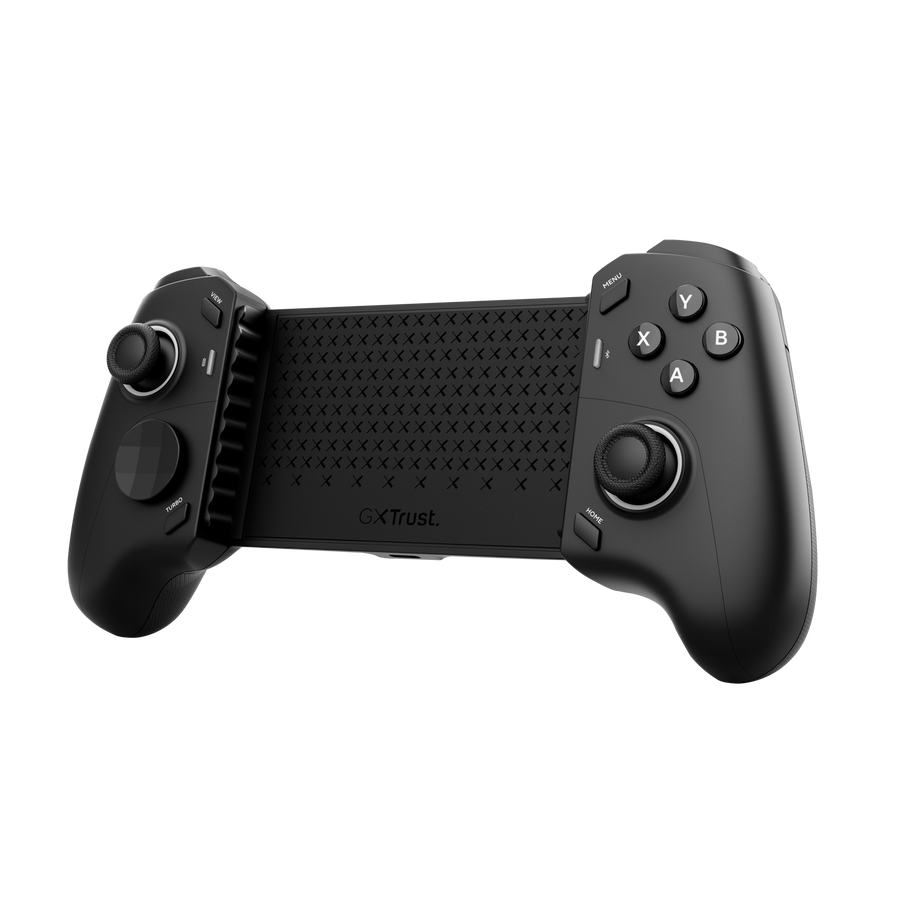
How do I set up the GXT 737 Rovix?
The GXT 737 Rovix is a wireless Bluetooth mobile gaming controller for smartphones, PC and compatible Nintendo Switch systems. It supports multiple controller modes for different games and platforms.
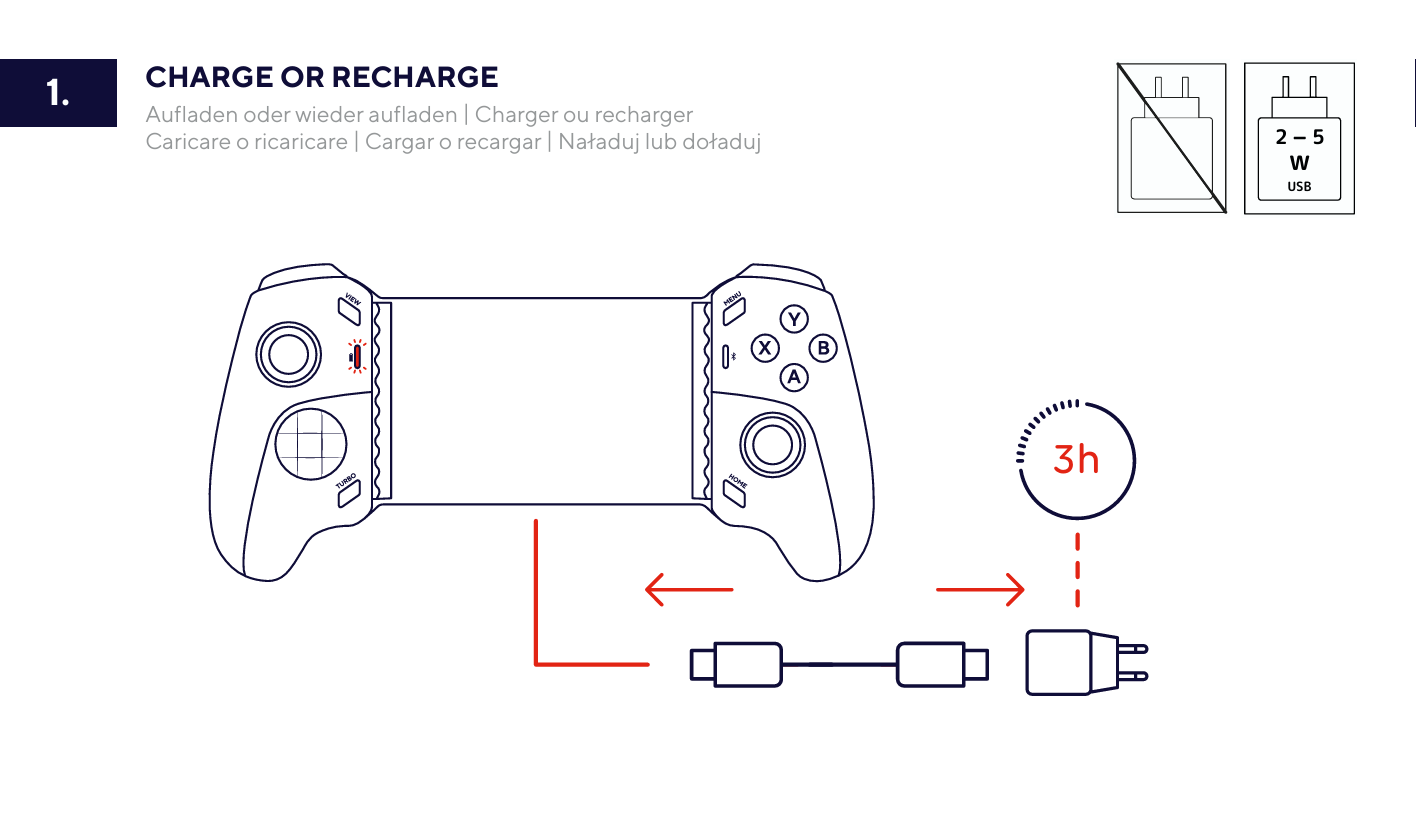
Charge the controller
- Connect the supplied USB-C cable to the controller.
- Connect the other end to a compatible USB-C wall charger providing between 2 W and 5 W.
- A complete charge takes approximately 3 hours.
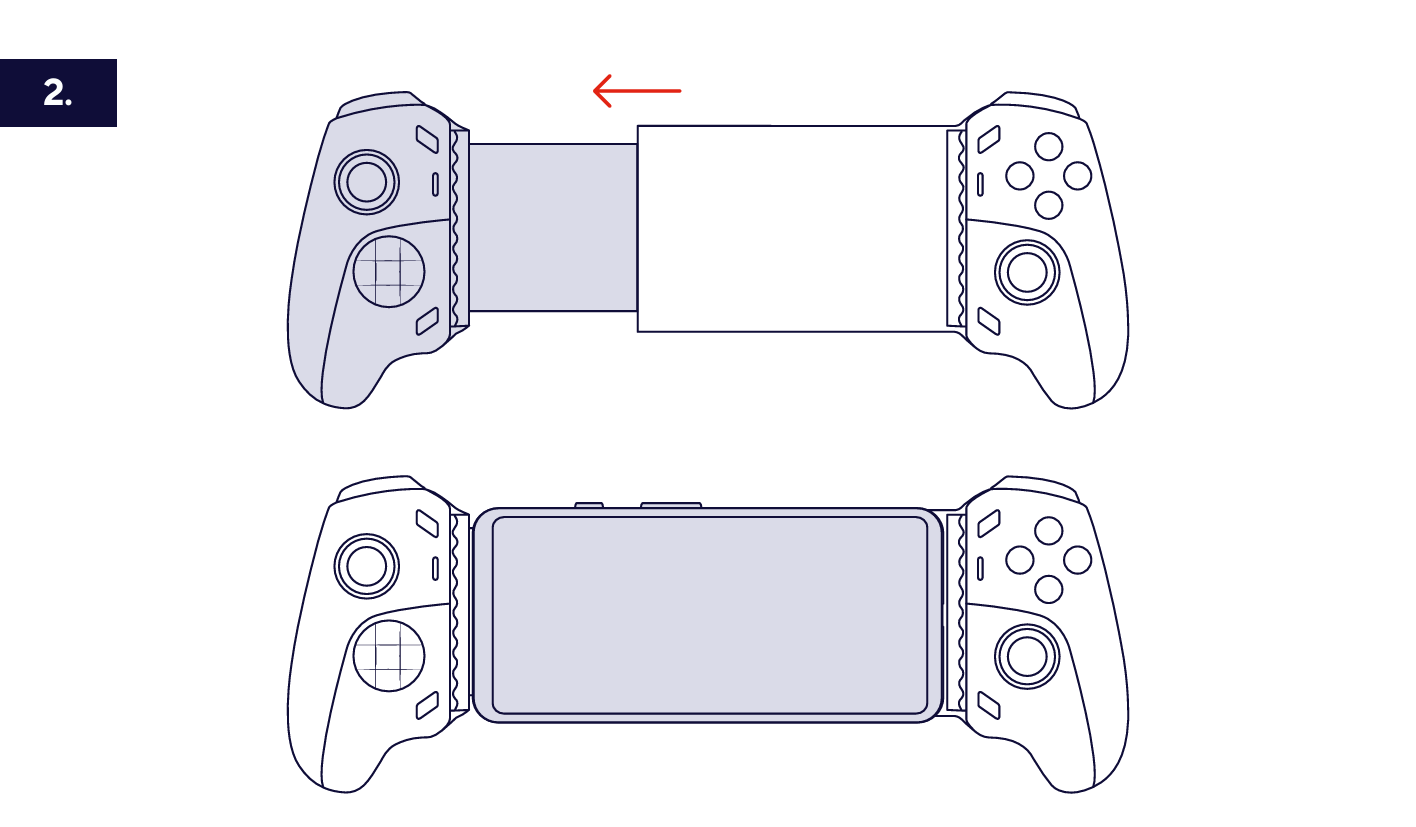
Mount your phone
- Pull the expandable side of the controller outward.
- Place the phone between the two rubberised supports.
- Allow the spring-loaded mechanism to close around the phone and hold it securely in place.
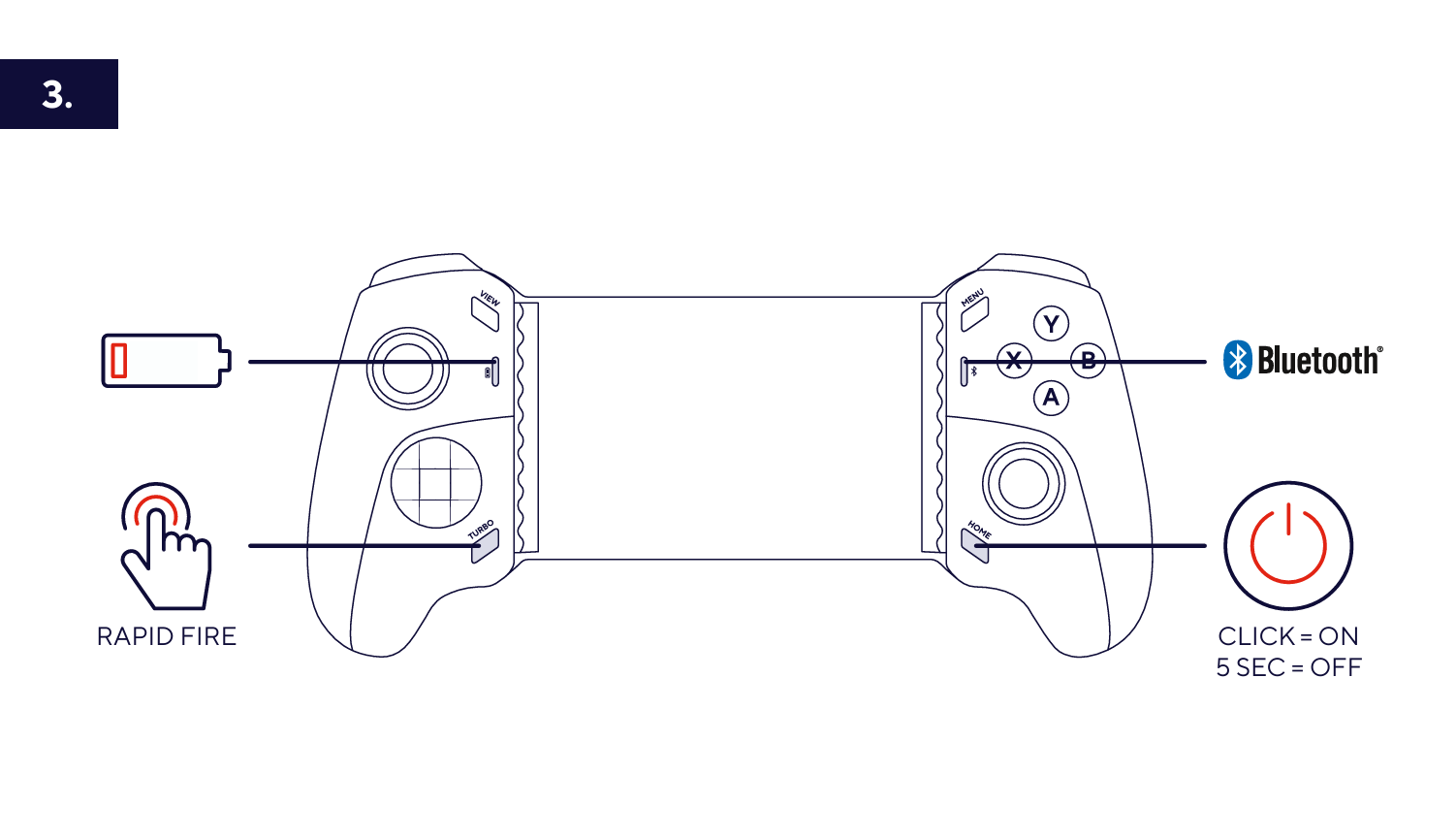
Switch the controller on
Press the power button once to switch the controller on. Press and hold the power button for approximately 5 seconds to switch it off.
Select the required controller mode
Before pairing, select the controller mode required by the game or platform:
- HOME + B - DualShock Controller mode.
- HOME + X - Xbox Controller mode.
- HOME + Y - Pro Controller mode.
The required controller mode depends on the game. Check the game's controller requirements before pairing.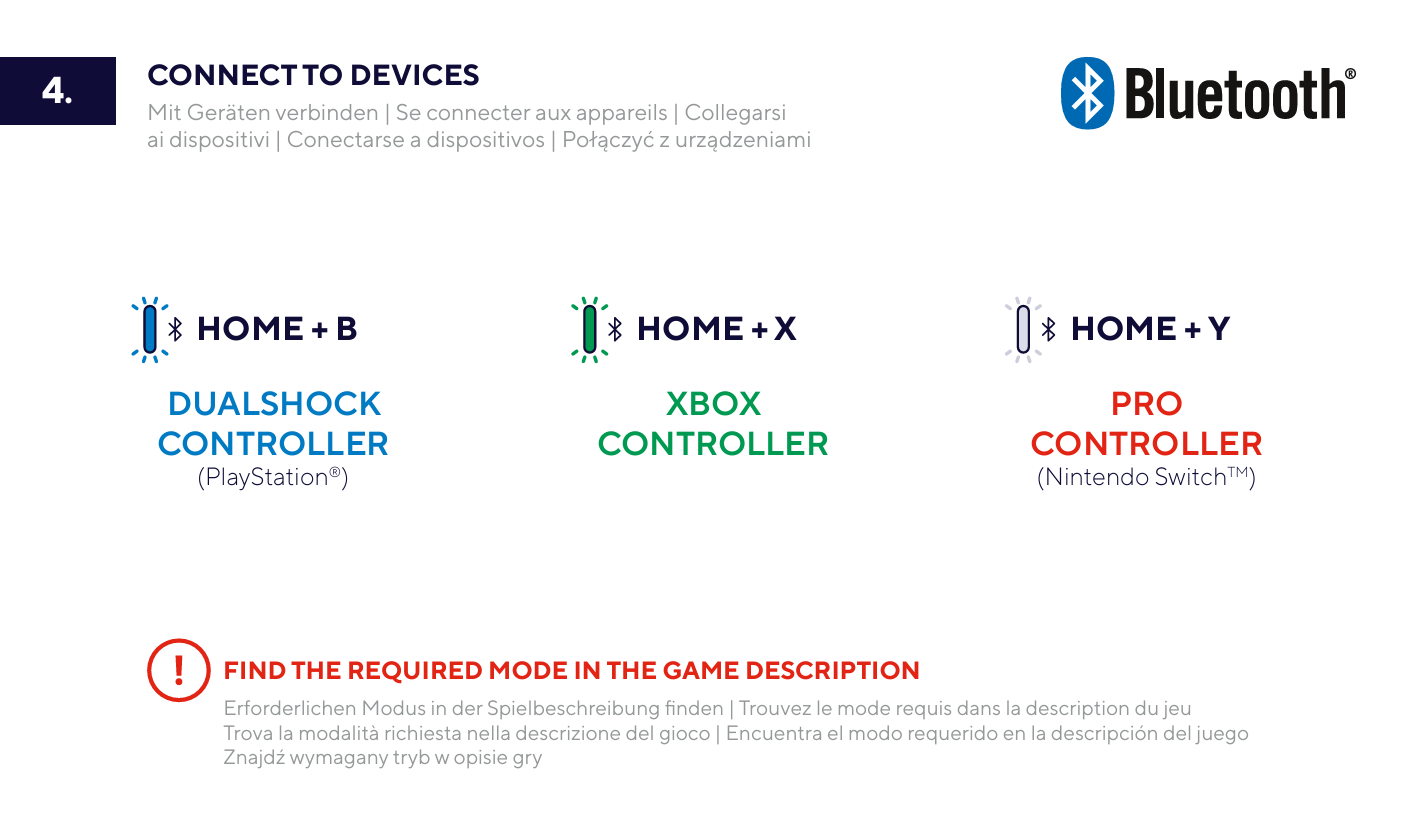
Connect using Bluetooth
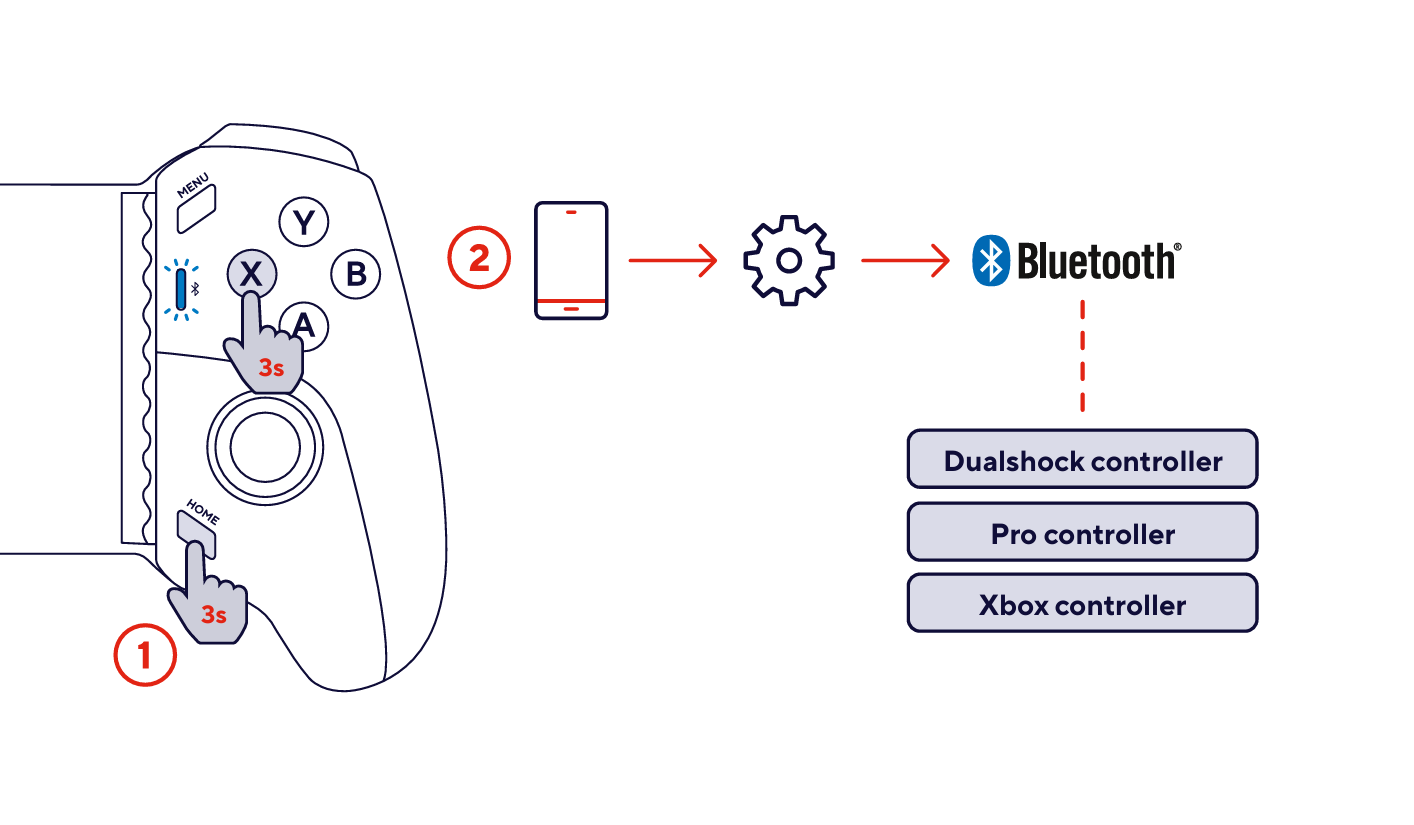
- Press and hold the required HOME + controller mode button combination for approximately 3 seconds.
- Open the Bluetooth settings on the device you want to connect.
- Select the controller name corresponding to the selected mode:
- Dualshock controller
- Xbox controller
- Pro controller
---------------------------------------------------------------------------------------------------------------------------------------------
Controller overview
- Wireless Bluetooth connection.
- 20 buttons.
- Two analogue sticks.
- Shoulder and trigger controls.
- Pressure-sensitive Hall-effect controls.
- Rapid Fire / Turbo functionality.
- Two programmable rear buttons: M1 and M2.
- Interchangeable magnetic faceplates.
- Replaceable D-pad.
- Integrated rechargeable battery with up to approximately 12 hours of use.
---------------------------------------------------------------------------------------------------------------------------------------------
Rapid Fire
The controller includes a dedicated Rapid Fire control for supported gameplay functions.
Press the Rapid Fire button to activate the function.
---------------------------------------------------------------------------------------------------------------------------------------------
Changing the faceplates
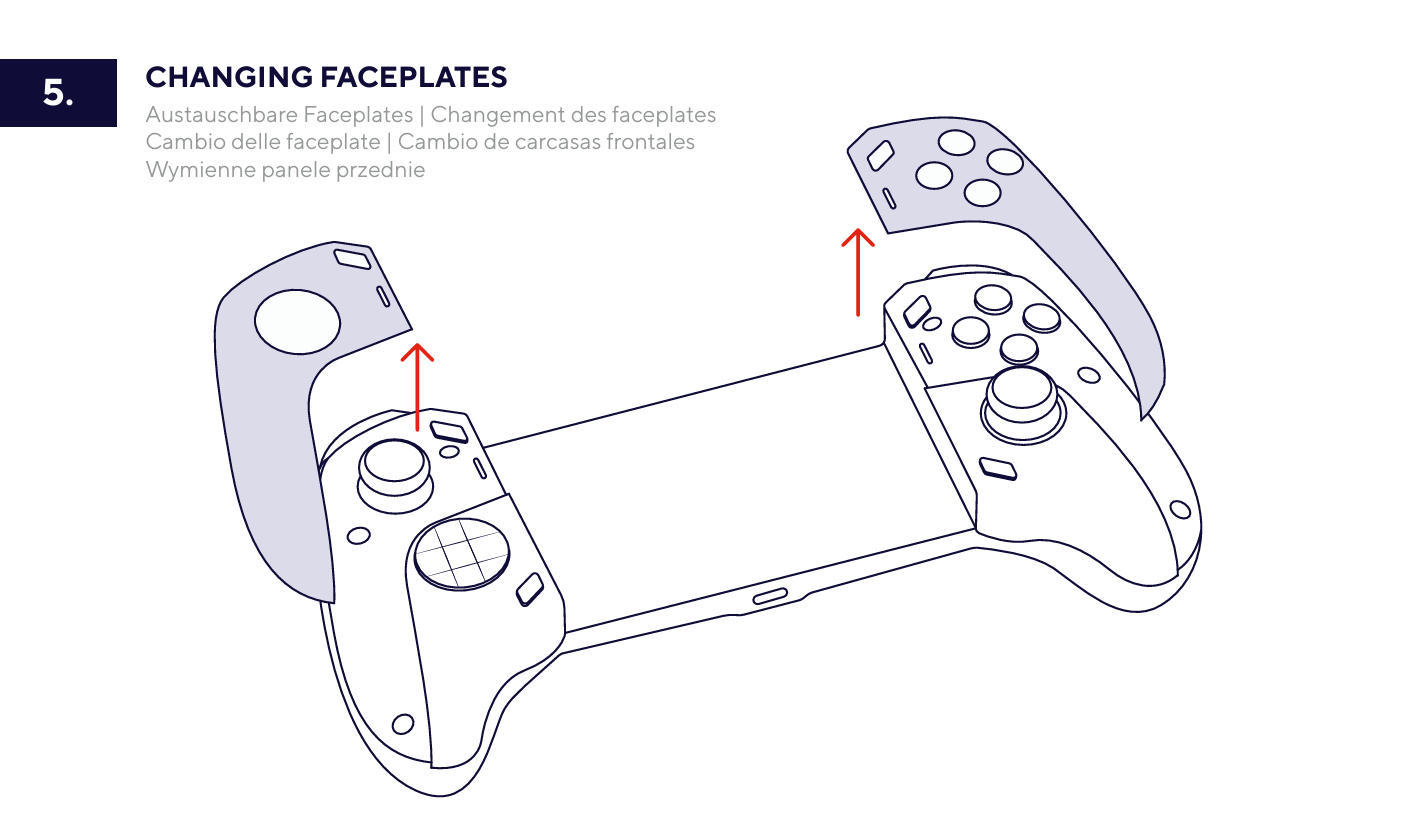
The controller includes interchangeable magnetic faceplates.
- Lift the installed faceplate away from the controller.
- Position the replacement faceplate over the corresponding side of the controller.
- Allow the magnetic mounting system to hold the faceplate in position.
---------------------------------------------------------------------------------------------------------------------------------------------
Changing the D-pad
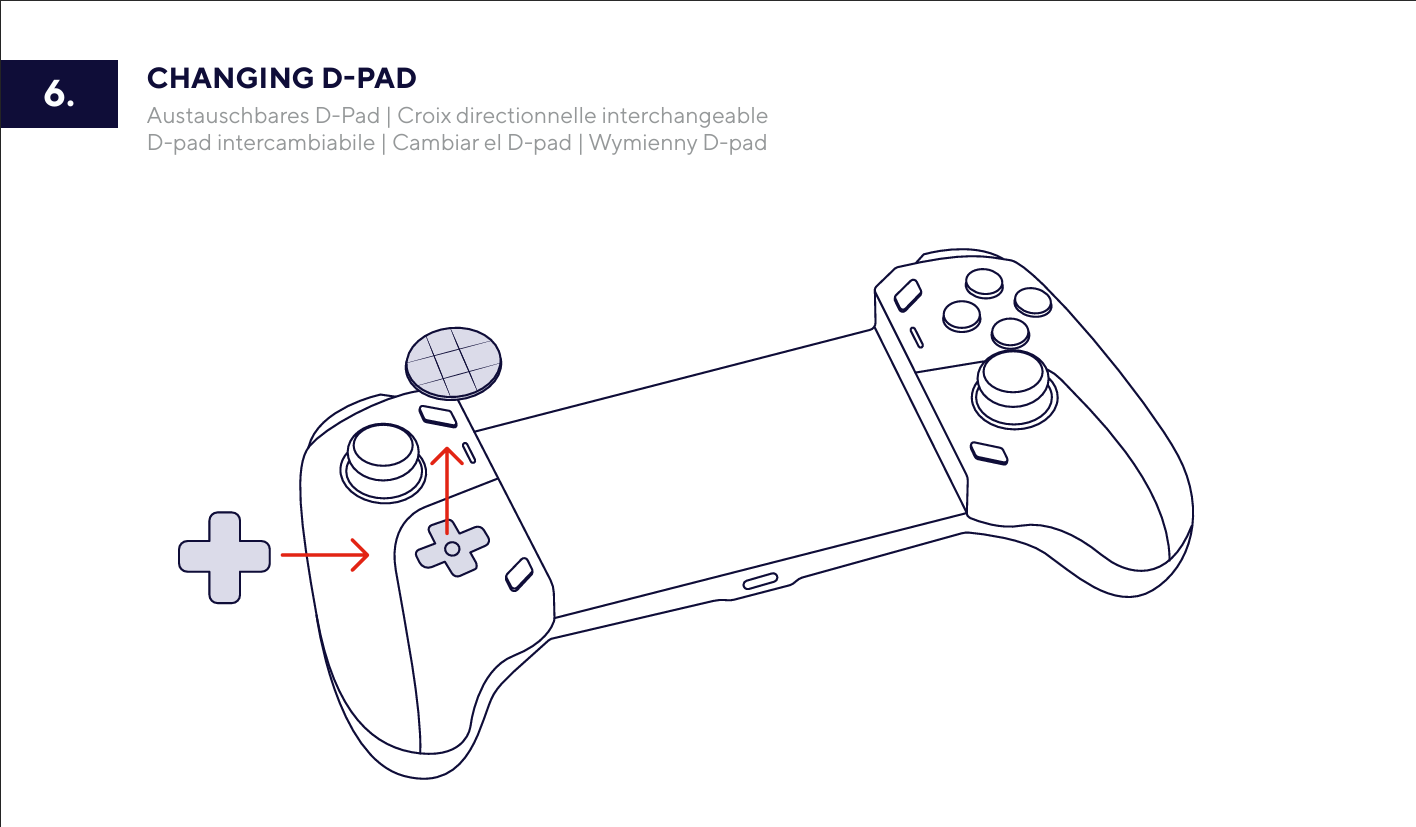
The D-pad can be removed and replaced with the supplied alternative D-pad.
- Lift the installed D-pad away from the controller.
- Align the replacement D-pad with the mounting point.
- Press it into position.
---------------------------------------------------------------------------------------------------------------------------------------------
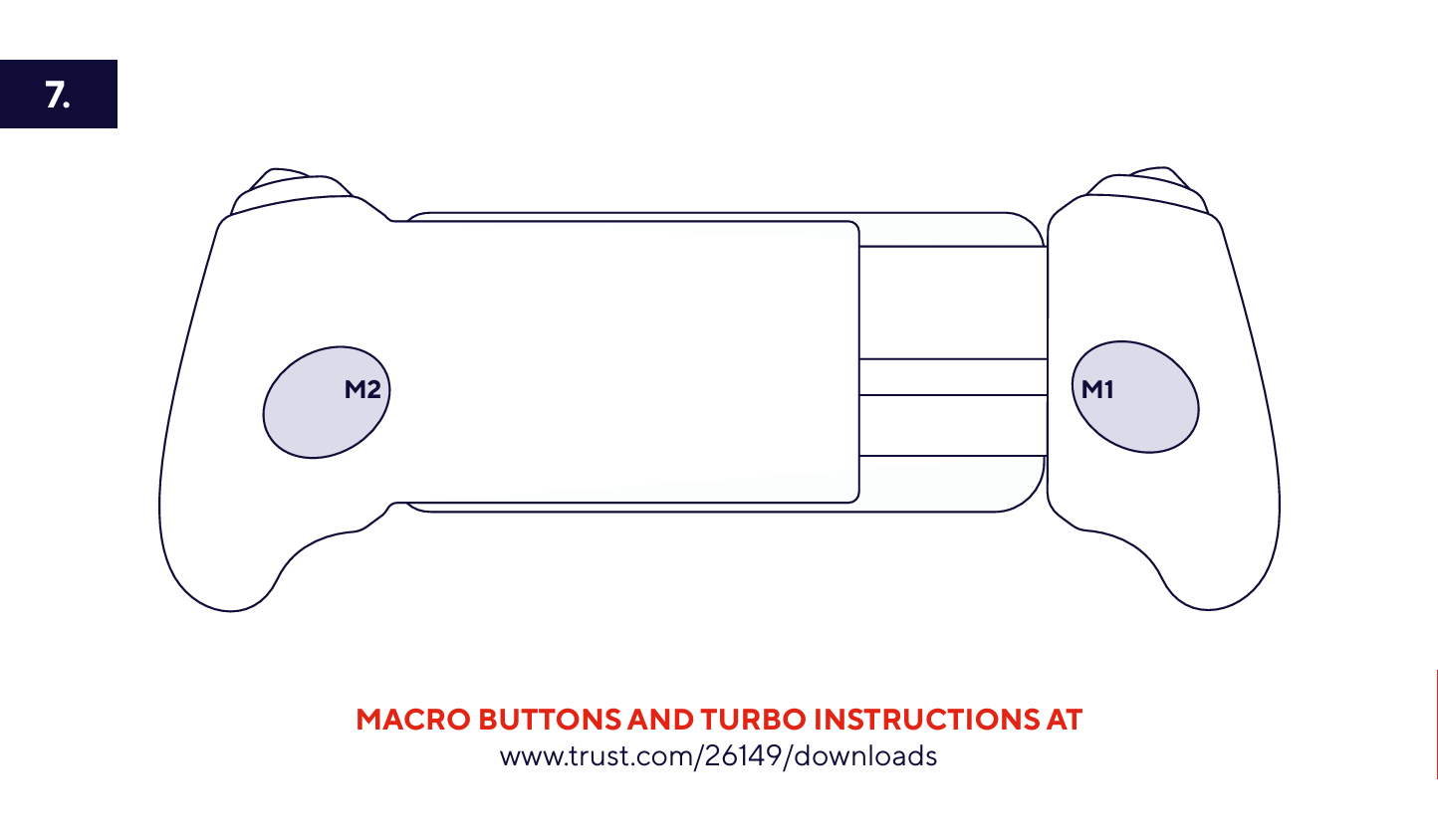
Macro buttons
The Rovix includes two programmable buttons on the rear of the controller:
- M1 - rear-right programmable button.
- M2 - rear-left programmable button.
Macro and Turbo programming instructions are available in the Advanced manual.
---------------------------------------------------------------------------------------------------------------------------------------------
Battery and charging
The built-in rechargeable battery provides up to approximately 12 hours of gameplay.
Actual battery runtime depends on usage and operating conditions.For charging instructions, refer to Charge the controller above.
---------------------------------------------------------------------------------------------------------------------------------------------
Compatibility
The GXT 737 Rovix supports:
- Android devices.
- iOS devices.
- Windows PCs and laptops.
- Nintendo Switch.
- Nintendo Switch Lite.
- Nintendo Switch 2.
The controller can also be used with compatible games streamed remotely from PlayStation, Xbox or PC to a smartphone.
Remote gaming requires a compatible remote-play application.---------------------------------------------------------------------------------------------------------------------------------------------
Troubleshooting
The controller does not appear in the Bluetooth device list
- Make sure the controller is switched on.
- Select the correct controller mode for the game.
- Repeat the Connect using Bluetooth procedure above.
- Make sure Bluetooth is enabled on the device you want to connect.
The controller connects but does not work correctly in a game
- Check which controller mode is required by the game.
- Disconnect the controller.
- Select the required mode using HOME + B, HOME + X or HOME + Y.
- Pair the controller again.
The controller does not switch on
- Charge the controller.
- Press the power button once after charging.
The phone does not fit securely
- Make sure the phone is positioned between the rubberised supports.
- Allow the spring-loaded clamp to close firmly around the phone.
---------------------------------------------------------------------------------------------------------------------------------------------
Frequently asked questions
Connectivity
-How do I put the Rovix into Bluetooth pairing mode?
Select the required controller mode and refer to Connect using Bluetooth above.
-Why does the controller appear under a different Bluetooth name?
The Bluetooth name depends on the selected controller mode. It may appear as Dualshock controller, Xbox controller or Pro controller.
Compatibility
-Which devices can I use with the Rovix?
Refer to the Compatibility section above.
-Can I use it for PlayStation, Xbox or PC remote play?
Yes, with compatible games and a suitable remote-play application on the smartphone.
Battery and charging
-How long does the battery last?
The built-in rechargeable battery provides up to approximately 12 hours of gameplay, depending on usage and operating conditions.
-How long does charging take?
A complete charge takes approximately 3 hours when using a suitable 2–5 W USB power source.
Controls and customisation
-Can I change the faceplates?
Yes. Refer to Changing the faceplates above.
-Can I replace the D-pad?
Yes. Refer to Changing the D-pad above.
-What are M1 and M2?
M1 and M2 are programmable rear buttons. Refer to the Macro buttons section above.
Was this article helpful?
That’s Great!
Thank you for your feedback
Sorry! We couldn't be helpful
Thank you for your feedback
Feedback sent
We appreciate your effort and will try to fix the article