(Compatible article number 26104)

How to charge and use your Pacto 5K Pocket Powerbank
This guide explains how to charge, operate and maintain your Pacto 5K Pocket Powerbank. The powerbank provides portable charging for smartphones, earbuds and other USB-C powered devices while travelling, commuting or working away from a wall outlet.
1. Using a suitable power adapter.
The powerbank supports up to 18Watt input.
The rating output of the power adapter must be between 5 - 20Watt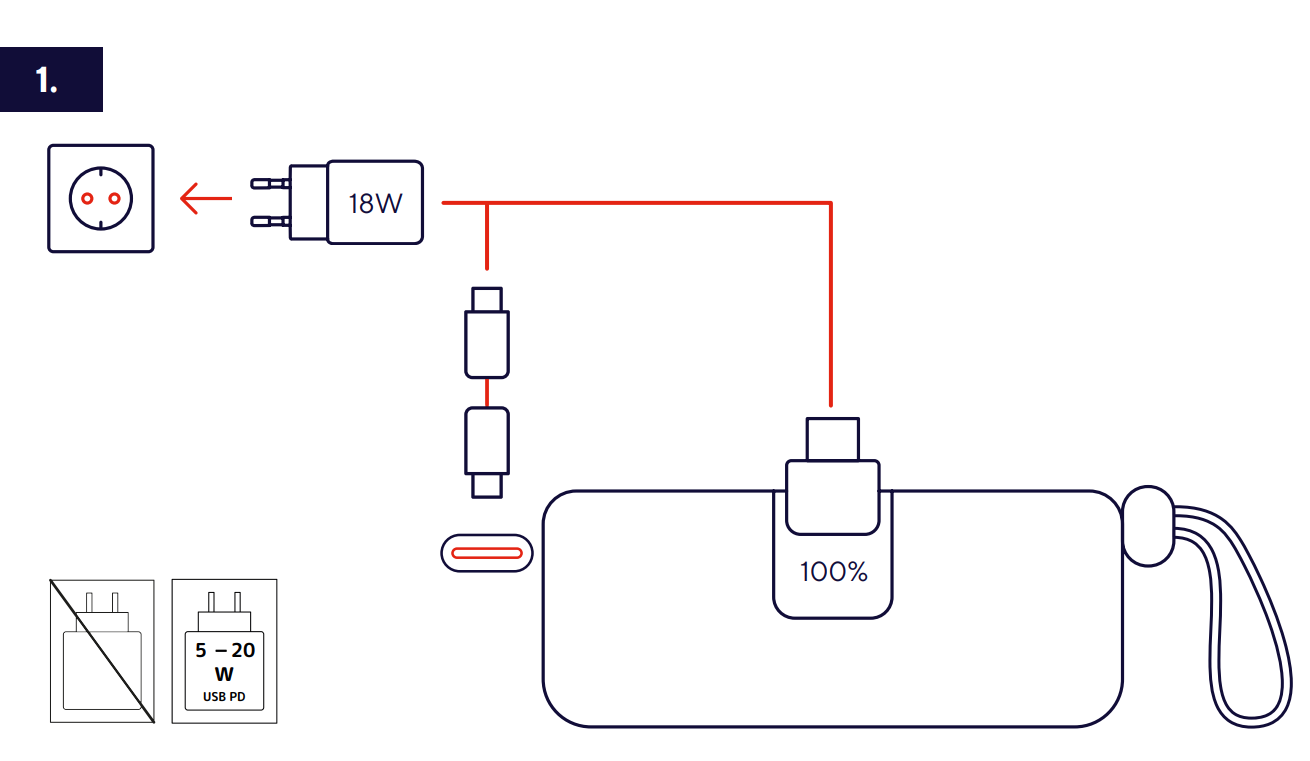
✅ You can easily monitor the remaining battery capacity before travelling.
✅ The Pacto 5K supports USB Power Delivery fast charging up to 20W for compatible devices.
2. Charging the Powerbank for the First Time
1. Plug the power adapte into wall outlet.
2. Connect the power bank's built-in USB-C cable to the USB-C port of the power adapter.
3. The display will show the current battery percentage while the powe bank is charging.
4. Leave the powerbank connected until the display shows 100% indicating that it is full charged.
5. Once fully charged, disconnect the power bank from power adapter.
6. Charging process can take up to two hours.
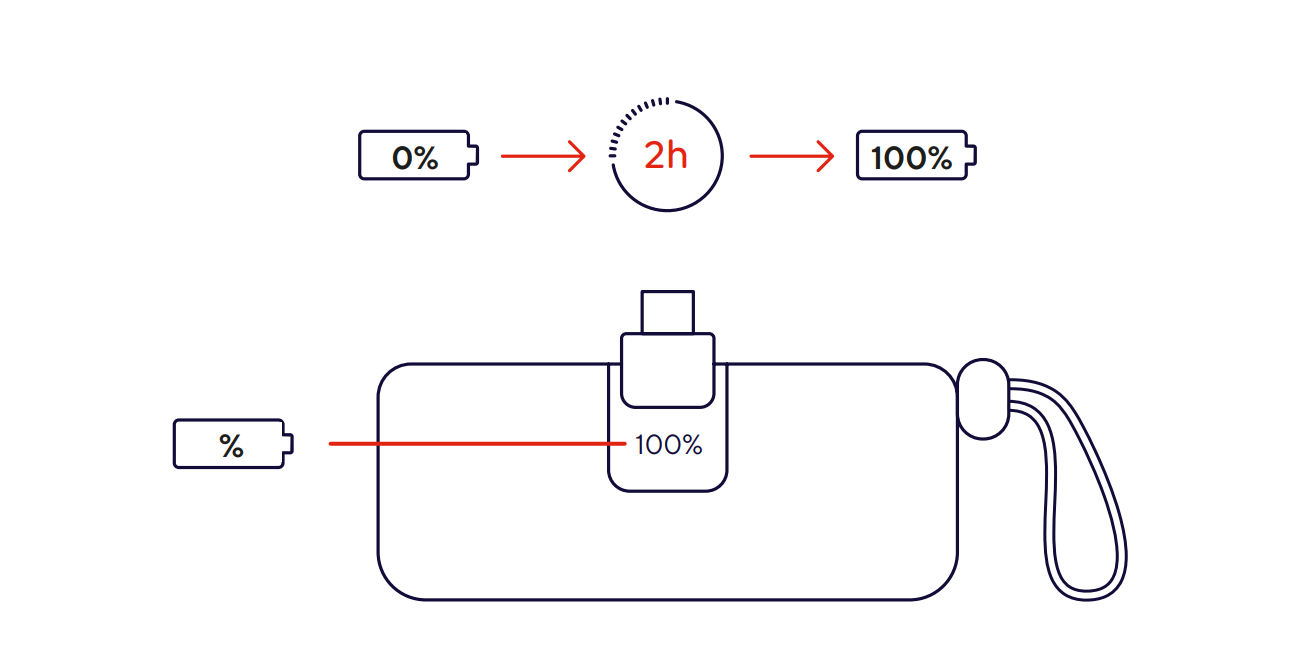
✅ The powerbank is fully charged and ready for first use.
------------------------------------------------------------------------------------------------------------------------------------------
3. Charging Devices Using the Available Output Ports
The powerbank features three charging outputs labelled A, B and C. The available charging power depends on which port is used and how many devices are connected simultaneously.
Charging a device using Port A
1. Connect your charging cable to Port A.
2. Connect the other end of the cable to your smartphone, tablet or compatible device.
3. Charging starts automatically.
4. When used individually, Port A can provide up to 20W output power, making it suitable for fast charging compatible devices.
Charging a device using Port B
1. Connect your charging cable to Port B.
2. Connect the other end to the device you want to charge.
3. The powerbank automatically begins supplying power.
4. When used individually, Port B can also provide up to 20W output power.
Charging a device using Port C
1. Connect your charging cable to Port C.
2. Connect the other end to the device requiring power.
3. Charging begins automatically.
4. When used individually, Port C provides up to 10W output power and is suitable for lower-power devices such as earbuds, smartwatches and accessories.
✅ For the fastest charging performance, connect a single device to either Port A or Port B.
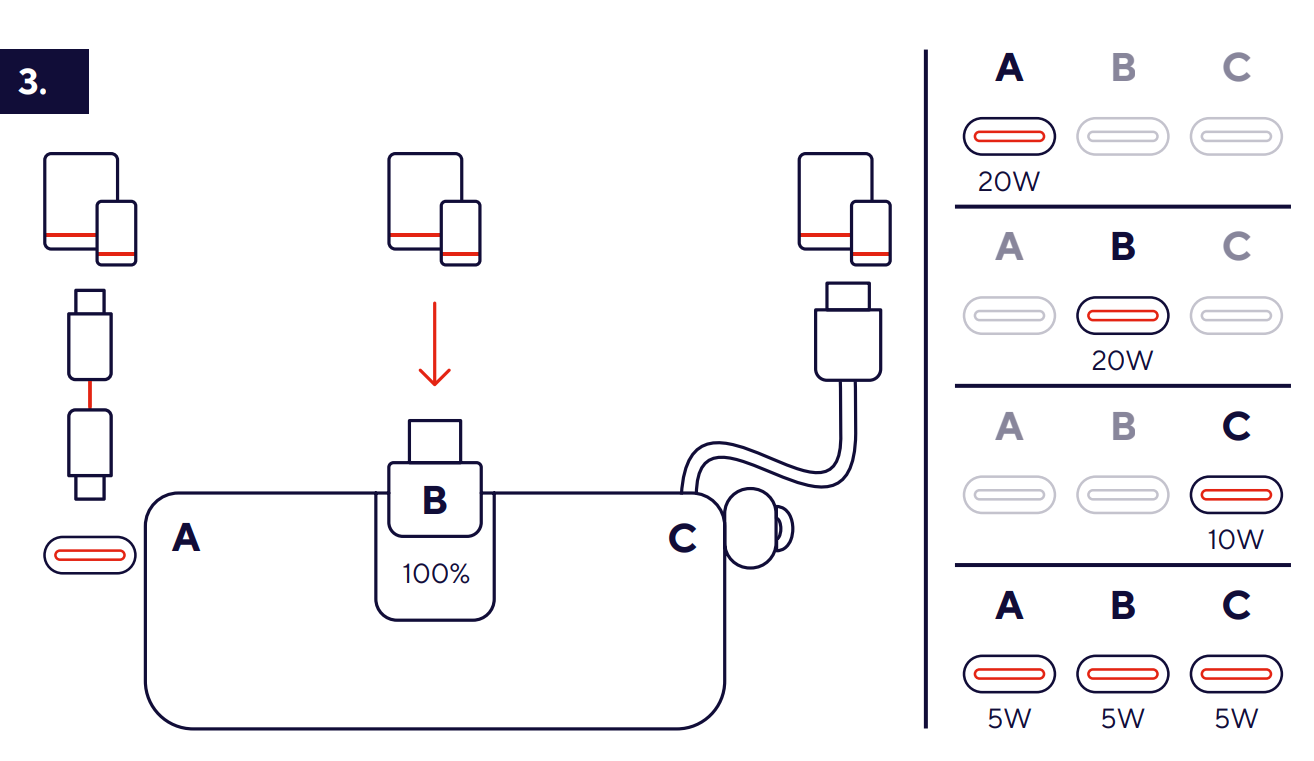
Output Power Distribution
• Port A used individually → Up to 20W output.
• Port B used individually → Up to 20W output.
• Port C used individually → Up to 10W output.
• Ports A, B and C used simultaneously → Up to 5W output per port.
⚠️ When multiple devices are connected at the same time, the available charging power is shared between all active ports. As a result, charging speeds may be lower than when using a single device.
------------------------------------------------------------------------------------------------------------------------------------------
5. Turn ON/OFF the power bank
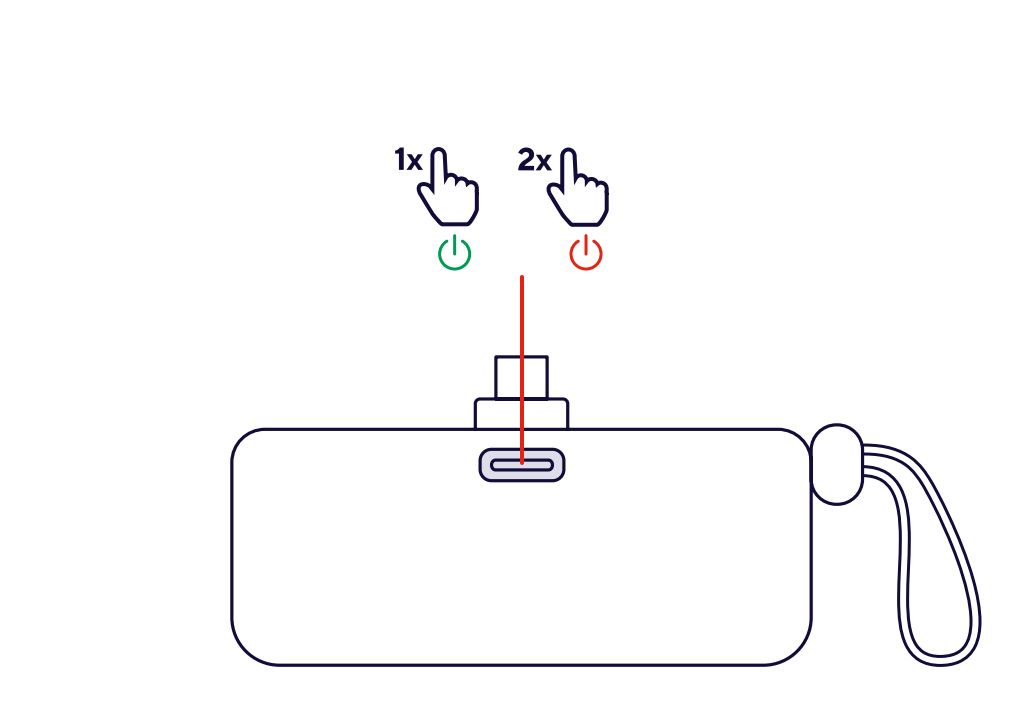
Locate the multifunction button
- The image highlights the button on the front of the device with a red line.
Power ON the device
- Press the multifunction button once (1×).
- The green power symbol indicates the device will turn on.
- Power OFF the device
- Press the multifunction button twice (2×).
- The red power symbol indicates the device will turn off.
------------------------------------------------------------------------------------------------------------------------------------------
6. Troubleshooting
Powerbank does not charge
• Verify the USB-C cable is properly connected.
• Try a different charger.
• Inspect the charging port for debris.
• Test with another USB-C cable.
Connected device is not charging
• Check the battery level of the powerbank.
• Reconnect the charging cable.
• Try another charging cable.
• Test with a different device.
Charging is slower than expected
• Verify the device supports fast charging.
• Use a USB-PD compatible cable.
• Disconnect other connected devices.
• Avoid charging in high-temperature environments.
Powerbank becomes warm during operation
• Moderate warmth is normal during fast charging.
• Disconnect and allow cooling if the unit becomes excessively hot.
Was this article helpful?
That’s Great!
Thank you for your feedback
Sorry! We couldn't be helpful
Thank you for your feedback
Feedback sent
We appreciate your effort and will try to fix the article